

Amazon Logistics Tracking: Stay on Top of Your Deliveries
In the U.S. ecommerce landscape, Amazon Logistics tracking has evolved from a mere convenience to a critical operational necessity. The speed of shipping, the certainty of delivery, and the clarity of status updates are now key factors influencing customer conversion and repeat purchases.
A survey highlighted in Amazon Multi-Channel Fulfillment materials reveals that 73% of customers consider shipping a significant factor in their purchasing decisions.
For consumers, the ability to track their packages through Amazon Logistics reduces the risk of missed deliveries and facilitates better planning for secure drop-offs.
For sellers, leveraging tracking data can significantly reduce inquiries about order status, prevent unnecessary refunds, and identify last-mile delivery issues before they escalate into chargebacks. The benefits are tangible: fewer customer service complaints, tighter delivery windows, and enhanced on-time performance reporting.
This report delves into the mechanics of Amazon Logistics tracking in the United States. It also explores how sellers can harness the same tracking data across various channels.
It further outlines the integration of Amazon Seller Central workflows, Swiship.com tracking views, and Selling Partner API methods to enhance order-level visibility. This includes Amazon Multi-Channel Fulfillment, which Amazon touts as optimized for timely delivery and has recently been enhanced to expedite customer order fulfillment.
What Amazon Logistics Is and How Delivery Tracking Works in the US
Amazon Logistics is a key part of the U.S. delivery network, alongside UPS, USPS, and regional partners. In Multi-Channel Fulfillment (MCF), the carrier mix can vary by destination, service level, and network capacity. For operations teams, the goal is to ensure customers can track their packages consistently, even when they change carriers.
The consistency comes from the amazon logistics tracking system. It standardizes shipment scans into a unified timeline. This timeline can be shown in an order view, a carrier page, or a shared link. Sellers aim for fewer status gaps across the diverse last-mile network.
Amazon Logistics as a last-mile delivery network
In the U.S., Amazon Logistics handles the final leg from a local facility to the delivery address. This role is key for dense routes, specific delivery times, and quick dispatch cycles. It also supports detailed address instructions, affecting where packages are placed.
In MCF orders, the last-mile carrier can change by package, even within the same order. A unified tracking system is essential. It keeps the status language consistent, even as physical handoffs change behind the scenes.
How tracking events update from shipment to doorstep
Tracking visibility comes from operational events, not marketing labels. A shipment confirmation sets the initial record. Scans then update the chain of custody during moves and handoffs. Customers see these updates as milestones, helping them track their packages without needing to know the internal route.
| Operational trigger | What updates in the amazon logistics tracking system | What the customer typically sees | Why it matters for sellers |
|---|---|---|---|
| Shipment confirmation | Shipment ID, package count, service level, first expected date | Order is preparing to ship | Sets expectations and reduces early “where is my order” messages |
| Carrier handoff | Carrier assignment and custody timestamp | Shipped / in transit | Explains why tracking may show movement without local delivery detail |
| Facility scan | Arrival, sort, departure events with location codes | Arrived at facility / left facility | Signals network progression and supports ETA accuracy |
| Dispatch scan | Route start time, last-mile assignment | Out for delivery | Improves staffing for support teams during peak delivery hours |
| Delivery confirmation | Delivered timestamp and completion status | Delivered | Closes the loop for refunds, claims, and customer follow-up |
Customers judge reliability by what they see. Even small delays in events can change their perception. A stable event model is key for tracking packages at scale while maintaining a clear narrative from “shipped” to “delivered.”
Why real-time visibility matters for customer experience
Shipping visibility impacts buying behavior, not just post-purchase support. In MCF reporting,
73% of customers report shipping materially influences purchase decisions
, linking tracking quality to conversion and repeat orders. Real-time updates make checkout smoother because delivery risk feels lower with a clear timeline.
Visibility also controls delivery outcomes. Accurate updates from the amazon logistics tracking system help customers plan around delivery times. This is important for scenarios like a neighbor receiving a package after a missed delivery attempt, where better timing and instructions can prevent confusion.
Amazon Logistics Tracking
Effective amazon logistics tracking hinges on the capture location and update frequency. For U.S. shippers and procurement teams, the aim is clear: confirm custody, verify milestones, and predict handoff timing with fewer exceptions. An amazon delivery tracker view translates these events into a timeline for staffing and site readiness.
Where to find your Amazon Logistics tracking details in your order info
For Multi-Channel Fulfillment shipments, tracking is found in Seller Central on the Manage Orders page. Opening Order Details reveals shipping details once the order ships, including the carrier and tracking number for each package.
Tracking numbers often link to the Swiship tracking website, consolidating shipment events into one stream. This structure aids in amazon logistics tracking reviews during audits, as the same identifier tracks the parcel across facilities and the last mile.
How the Amazon logistics tracking system reflects scans and milestones
Status messages are driven by scan activity and operational milestones, not simple estimates. Each update usually corresponds to a physical or system-confirmed handoff, such as a facility arrival, a route sort, or a final-mile dispatch.
An amazon delivery tracker view is most useful when teams read it as an event log. This approach reduces disputes, aligning internal receiving notes with timestamped scans and documented transitions.
| Milestone signal | Typical operational trigger | What teams can verify | What it does not guarantee |
|---|---|---|---|
| Shipped | Label activation and first carrier acceptance scan | Tracking number is live; carrier is assigned in Order Details | Same-day movement between facilities |
| Arrived at facility | Inbound scan at a sort or delivery station | Custody change with timestamp and node location | Immediate departure on the next linehaul |
| Out for delivery | Loaded to a route and dispatched from the local station | Final-mile phase has started; delivery attempt is planned | Exact stop order or precise arrival minute |
| Delivered | Completion scan and delivery confirmation record | Proof of completion for receiving logs and claims review | That the package was accepted by a specific person |
What “out for delivery” and delivery windows typically mean
“Out for delivery” indicates the parcel is on a local route, significantly narrowing timing. In current consumer behavior, tracking predicts arrival to within about an hour, useful for planning a break schedule or ensuring dock coverage for smaller sites.
Delivery windows require attention. If recipients miss narrow windows, attempted deliveries can shift to a neighbor drop-off or alternate location, depending on local practice and building access. In amazon logistics tracking, these outcomes appear as attempt-related scans that clarify why the first plan changed.
An amazon delivery tracker is most practical when treated as a planning input, not a promise. Teams aligning availability to the window reduce avoidable reattempts and improve receiving consistency without adding manual check-ins.
Track Amazon Logistics Using Amazon Order Tracking Tools
In U.S. parcel networks, tracking is not just a courtesy but a critical operational signal. It guides teams in scheduling receiving labor, reducing missed handoffs, and documenting delivery outcomes. Here, amazon order tracking serves as the primary record for timing and proof of delivery.
For sellers using Multi-Channel Fulfillment (MCF), the same expectation applies across channels. Once an order ships, tracking details support post-purchase communication and help limit “where is my order” contacts. Amazon’s own guidance ties shipping performance to purchase decisions, highlighting the importance of consistent status updates.
Using the Amazon app and website for amazon order tracking
The Amazon app and desktop site centralize status events under the order record. Operations teams typically check the carrier assignment, the latest scan, and the estimated delivery window before committing dock time or customer staffing.
When Amazon Logistics is the last-mile carrier, the tracking view often includes milestones such as facility arrival, out for delivery, and delivered. For cross-channel parity, many teams mirror these checkpoints in customer messages, including the track.amazon.com view used in some Shopify confirmations and the tracking page surfaced for MCF shipments.
Using an amazon delivery tracker view to monitor progress
An amazon delivery tracker view is most useful when reviewed against the delivery window, not just the headline status. This pairing helps reduce failed attempts, which is critical for apartments and office buildings with restricted access.
Ignoring delivery windows can lead to alternate drop-offs. This can mean a package left with a neighbor, a mailroom, or another approved location, creating extra handling and follow-up for both recipients and support teams.
- Check the delivery window before dispatching receiving staff.
- Confirm address notes and access constraints when the status changes to out for delivery.
- Use the same event language across channels to avoid mismatched expectations.
Finding shipment status updates and delivery confirmations
Status updates and delivery confirmations are the audit trail that finance and customer operations rely on. In amazon order tracking, the delivered event may include time stamps and, where available, location cues that support claims review and internal reconciliation.
For MCF orders that ship in more than one box, teams track each package separately and share the full set of tracking details once shipped. Many organizations also provide an amazon delivery tracker view in customer notifications so recipients can plan for receipt and reduce re-delivery risk.
| Tracking view | Best operational use | What teams capture | Common handoff risk it reduces |
|---|---|---|---|
| Amazon app or Amazon.com order page | Daily exception monitoring and receiving planning | Latest scan, delivery window, delivered time stamp, delivery notes | Missed delivery attempts that trigger re-delivery or alternate drop-offs |
| track.amazon.com order tracking view | Cross-channel customer visibility when Amazon Logistics is the carrier | Milestones aligned to last-mile progress and delivery window | “Where is my order” contacts caused by unclear status changes |
| MCF tracking page used by sellers and support teams | Post-ship communication for multi-package orders | Per-package tracking numbers, scan history, delivery confirmations | Confusion when one package arrives earlier than the rest |
Amazon Package Tracking Statuses You’ll See and What They Mean
In U.S. last-mile delivery, status messages are operational signals, not marketing labels. For service teams, amazon package tracking works best when each scan is mapped to a process step: pre-handoff, linehaul movement, facility processing, last-mile dispatch, and completion. The amazon logistics tracking system typically records these events in sequence, which helps teams isolate where time is spent and where risk accumulates.
Label created, shipped, in transit, and arrived at facility
“Label created” generally indicates pre-carrier handoff. A shipment exists in a database, but the physical parcel may be at a shipper dock or staging area. In amazon package tracking, this is a planning signal, not proof of movement.
“Shipped” and “in transit” usually represent carrier possession and linehaul movement between nodes. “Arrived at facility” points to inbound processing at a sort center, delivery station, or regional hub. In the amazon logistics tracking system, these facility events often precede route assignment and final dispatch.
Out for delivery, attempted delivery, and delivered
“Out for delivery” is the last-mile dispatch marker. It implies the parcel has been loaded for a route and is progressing toward a delivery window. Operations teams often treat it as the final leg, where stop density, traffic, and building access drive variance.
“Attempted delivery” is a non-completion event. When the intended recipient is unavailable, delivery personnel may knock on a neighbor’s door to complete handoff, specially when a “leave it at” instruction is set. In amazon package tracking, that pattern can affect how support teams explain the stop outcome and document chain-of-custody notes.
“Delivered” functions as an audit point. The amazon logistics tracking system may pair it with a timestamp and location context used for customer support, disputes, and proof-of-delivery workflows. For Multi-Channel Fulfillment programs, delivery confirmation also supports the expectation that customers receive the tracking information they need after shipment.
How exceptions and delays typically appear in tracking
Many exception-like outcomes show up as status sequences that stop short of completion. “Attempted delivery,” “delivery delayed,” or repeated facility scans can signal reroutes, alternate drop-off behavior, or a follow-up attempt. For service-level monitoring, these non-completion events help teams separate capacity constraints from address, access, or recipient availability issues.
| Status shown | Process step mapping | Typical operational trigger | What teams can infer for monitoring |
|---|---|---|---|
| Label created | Pre-carrier handoff | Order packed; label generated; awaiting pickup or induction | Clock starts for pre-induction dwell; movement not yet verified |
| Shipped | Carrier possession | First physical scan at pickup, dock, or induction point | Handoff complete; carrier SLA timing becomes measurable |
| In transit | Linehaul movement | Trailer or van movement between nodes; network transfers | Midstream progress; delays often tied to transportation or peak volume |
| Arrived at facility | Facility processing | Inbound scan at sort center or delivery station; queued for sort | Node-level dwell becomes visible; backlog risk can be tracked by repeat scans |
| Out for delivery | Last-mile dispatch | Loaded to route; dispatched to driver for final delivery | High variance stage; stop sequencing and access constraints drive ETAs |
| Attempted delivery | Delivery attempt (non-completion) | Recipient unavailable, access issue, or handoff alternative used | Triggers follow-up attempt or alternate drop-off; customer messaging should align to the stop outcome |
| Delivered | Completion | Final scan confirming drop-off or handoff | Primary audit marker for disputes, support tickets, and confirmation records |
Managing Delivery Timing, Notifications, and Household Drop-Off Preferences
Effective delivery management hinges on turning tracking data into a clear plan for access, coverage, and secure handoff. Amazon logistics tracking offers a delivery window that’s often accurate to within an hour. This helps households and property teams plan around busy times.
In dense buildings, this visibility supports basic governance. It determines who can receive packages, where they can be left, and what to do if an entry point is locked. Consistent use of these controls reduces failed attempts and limits informal reroutes that can blur chain of custody.
Using tracking to plan availability when a package is due
When recipients track amazon logistics, the most useful signal is the delivery window paired with status scans such as “out for delivery.” This combination aids in making practical coverage decisions. It includes staffing a front desk, timing a loading dock check, or confirming that a mailroom door will be unlocked.
For households, planning is similar. Align availability with the window, or arrange a secure location with clear access. For multi-tenant properties, the goal is to keep handoffs predictable and reduce hallway drop-offs.
How missed deliveries can impact neighbors and alternate drop-offs
Missed deliveries create spillover costs. In some neighborhoods, repeated knock attempts shift work to neighbors, often with notes suggesting “leave it at number so-and-so.” This pattern can increase friction in close housing and add risk if a package changes hands without a documented transfer.
Amazon logistics tracking helps clarify timing, but it does not remove the need for a defined drop-off policy. Without one, alternate delivery choices can become routine, increasing disputes and retrieval time.
Reducing surprises with alerts and delivery instructions
Alerts act as a control variable: they reduce missed deliveries by signaling when the window narrows or when a stop is approaching. Delivery instructions function as a risk lever, shaping security outcomes and limiting neighbor burden.
The table summarizes common instruction options and the operational tradeoffs facility managers and households typically weigh when they track amazon logistics.
| Control | What it changes in the delivery process | Operational upside | Primary risk to manage |
|---|---|---|---|
| Delivery alerts (push, email, SMS) | Speeds recipient response when statuses update in amazon logistics tracking | Fewer missed handoffs; faster retrieval from common areas | Alert fatigue can lead to ignored notifications during peak periods |
| Secure location note (porch box, locker, mailroom shelf) | Directs placement to a predefined spot with consistent access | Reduces hallway clutter and shortens driver dwell time | If access is unclear, the package may be placed in an exposed area |
| Do-not-leave directive | Encourages handoff only when a recipient is present | Improves chain-of-custody clarity for higher-value items | Can increase reattempts, adding delays and building traffic |
| Neighbor drop-off preference | Allows an alternate recipient when the primary address is unavailable | Can prevent a failed attempt in low-risk settings | Creates disputes if the neighbor is absent, unwilling, or unverified |
| Access instructions (gate code, call box steps, dock hours) | Reduces access failures that trigger reattempts | Higher first-attempt completion in controlled-entry buildings | Outdated codes or restricted hours can force unsafe placement choices |
Households typically prioritize secure placement and clear access notes to limit missed stops.
Property and facility managers often standardize receiving points to reduce exceptions and resident escalations.
Both benefit when amazon logistics tracking is checked early enough to adjust coverage before the delivery window tightens.
Amazon Logistics Shipment Tracking for Sellers Using Multi-Channel Fulfillment
Orders in Multi-Channel Fulfillment move swiftly, yet service expectations remain high. Sellers rely on amazon logistics shipment tracking to meet delivery deadlines, handle exceptions, and minimize customer interactions. When Amazon handles the delivery, tracking services confirm the shipment’s status and any changes.
Where to find tracking in Seller Central “Manage Orders”
In Seller Central, navigate to the top and select Orders. Then, choose Manage Orders to access search tools and order lists.
Enter the order ID in the search bar to find the correct order. Open the order to access Order Details, where you can review and follow up on shipment information.
How Order Details show carrier and the tracking number for each shipment
Order Details display critical shipping information, including the carrier used. This aligns with the same scan milestones buyers see, but in a format sellers can easily follow.
Once shipped, the page reveals the tracking number for each shipment. The tracking reference often links to Swiship for detailed event history. This is vital for sellers to verify handoffs and delivery attempts during critical escalations related to amazon logistics shipment tracking.
| Seller Central location | What it shows | How it supports SLA control |
|---|---|---|
| Orders > Manage Orders | Search by order ID, order status, shipment indicators | Speeds triage by separating unshipped, shipped, and delayed orders |
| Order Details > Shipping details | Carrier identification and shipment status signals | Confirms whether the carrier is Amazon Logistics and sets the right exception path |
| Order Details > Tracking | Tracking number per shipment, with event history access | Supports proactive updates when scans stall or delivery windows tighten |
| Order Details > Shipment breakdown | Package-level separation when items ship in parts | Prevents false “lost package” claims when only one box is late |
Why MCF tracking can include multiple packages per order
MCF can split items into separate shipments based on inventory location, packaging limits, or fulfillment timing. This is why one order can have multiple tracking numbers, each with its own scan path and delivery estimate.
Monitoring tracking at the shipment or package level gives sellers better control. It reduces misreads of partial deliveries and keeps customer messaging consistent with amazon logistics shipment tracking and amazon transportation services tracking events.
Swiship Tracking Links and How They Support Amazon Transportation Services Tracking
Multi-Channel Fulfillment (MCF) orders often split into more than one package. This split can create gaps when teams rely on carrier-by-carrier pages for tracking. It’s a challenge for those tracking amazon logistics shipments.
Swiship.com is designed to offer consolidated visibility. It tracks all MCF orders for all carriers. It shows tracking for all packages in an order, supporting cleaner reporting for amazon transportation services tracking across mixed networks.
How Swiship.com displays tracking for all packages in an MCF order
Swiship groups shipments at the order level, listing each package with its own scan history. This makes it easier to reconcile delivery milestones when one carton moves faster than the rest.
For operations teams, this structure reduces manual checks. It supports consistent amazon transportation services tracking, even when the carrier changes midstream. It also keeps amazon logistics shipment tracking readable for customer support and post-purchase teams.
| Workflow need | Carrier-specific tracking pages | Swiship order-level view |
|---|---|---|
| See every package tied to one MCF order | Often requires opening multiple pages and matching numbers | Shows all packages in one view, aligned to the same order |
| Handle split shipments and staggered delivery dates | Dates can look inconsistent across carriers | Lists each package timeline side-by-side for faster review |
| Standardize updates for customer service | Different layouts and terms by carrier | One format that supports amazon logistics shipment tracking across carriers |
Using any MCF tracking number to pull up shipment events
Swiship lookup is based on the tracking number. Users can enter any MCF tracking number and pull up shipment events. This includes scans like acceptance, facility arrival, and out-for-delivery updates.
This approach supports faster exception handling. It also helps keep amazon transportation services tracking aligned when multiple packages share the same destination but move on different routes.
Sharing a direct Swiship tracking link with customers
Sellers can share a direct link to the shipment’s Swiship tracking page in customer messages. This creates a consistent experience when orders move through Amazon Logistics and other carriers used by MCF.
If the customer’s email is provided when the MCF order is created, MCF can send a shipment confirmation email. This email includes a link to the shipment’s Swiship tracking page. This workflow reduces “where is my order” contacts while keeping amazon logistics shipment tracking in a single, stable format.
Tracking API Options for Amazon Logistics and MCF Orders
For high-volume sellers, tracking data is most effective when it integrates with systems for service levels and support. An API layer converts carrier scans into structured events, enabling teams to monitor performance across various channels. This integration is key, making the amazon logistics tracking system a vital part of a broader reporting stack, not just a customer tool.
Selling Partner API and the GetPackageTrackingDetails operation
Multi-Channel Fulfillment offers shipment visibility through the Selling Partner API. The GetPackageTrackingDetails operation provides the latest tracking events for a specific shipment within an order. This structure standardizes amazon logistics tracking across dashboards, alerting rules, and support workflows.
Events are delivered consistently, allowing teams to map scans to internal milestones like “handoff,” “arrival,” and “delivery confirmation.” This approach also supports exception monitoring, such as stalled movement or repeated delivery attempts. These signals are critical when Amazon Logistics is the carrier and customer expectations are high.
Getting the latest tracking events across multiple shipments, not just the first
A key operational nuance is coverage across split shipments. The API can return tracking events across multiple shipments, not just the first shipment created for an order. This reduces gaps when one carton arrives early and another follows later, a common pattern in MCF and peak demand cycles.
In BI terms, this supports cleaner metrics for on-time delivery and partial delivery rates. In support terms, it reduces mismatches between what the customer received and what a single tracking view might show. It also tightens exception queues when the amazon logistics tracking system shows progress on one package but not the others.
| Use case | API data pulled | Operational value | Common KPI impact |
|---|---|---|---|
| Split shipment visibility in MCF | Latest events for each shipment ID in the order | Prevents missed scans when only one package is checked | Lower “where is my order” contact rate |
| Exception monitoring | Stalled scans, delivery attempts, and delivery confirmation events | Routes issues to support before deadlines are missed | Higher on-time delivery performance |
| Customer notifications | Milestone events and timestamps | Triggers consistent updates across email, SMS, and help desk tools | Faster resolution time per ticket |
| Carrier-agnostic reporting | Normalized event stream for Amazon Logistics and other carriers | Enables cross-channel comparisons using one schema | More reliable OTIF and delivery lead-time analysis |
Linking customers to the shipment’s Swiship tracking page
The same API response can include links to the shipment’s Swiship.com tracking page. This standardizes the customer-facing view, even when the carrier is Amazon Logistics. In practice, the link can sit alongside internal events so support teams and customers reference the same timeline.
When implemented well, amazon logistics tracking becomes a shared source of truth across storefronts, help desks, and analytics tools. For procurement and operations teams, it also supports audit-ready records of scan history, delivery confirmation timing, and service recovery patterns tied to specific lanes.
Tracking Amazon Logistics on Ecommerce Platforms Like Shopify
On Shopify, clear shipment visibility is a key part of the post-purchase experience. When Amazon Logistics is the carrier, merchants can maintain consistent amazon order tracking across channels. This ensures customers can quickly check the status of their packages with the correct package ID.
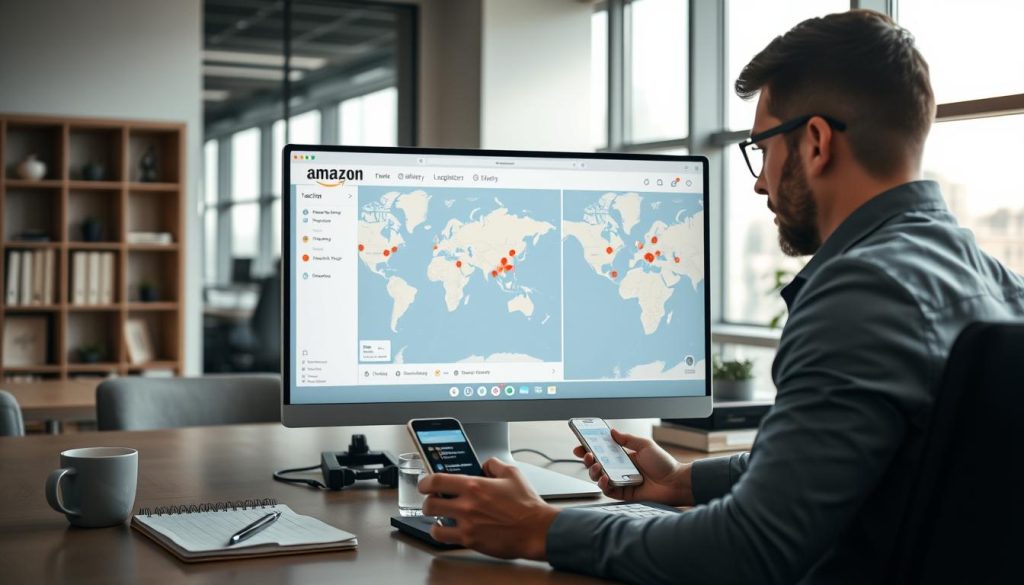
How customers can track via track.amazon.com from Shopify confirmations
For Shopify orders fulfilled through Multi-Channel Fulfillment (MCF), customers receive a direct link to track.amazon.com from the order confirmation page. This link is tied to the shipment’s tracking number. As a result, scans and milestone updates are specific to the correct parcel.
This approach reduces friction for the customer. They don’t have to search a carrier site or copy fields between pages. It ensures amazon order tracking aligns with carrier reports during handoff, sortation, and last-mile delivery.
Why cross-channel visibility helps reduce “where is my order” messages
MCF reports that 73% of customers say shipping strongly influences purchase decisions. This influence is evident after checkout, when buyers expect to track amazon logistics easily and with few status gaps.
MCF also supports tracking through AfterShip, allowing carriers like Amazon Logistics to be tracked on common marketplaces such as Etsy and Wish. For operations teams, cross-channel tracking reduces avoidable “where is my order” contacts. It keeps shipment events visible where customers already look.
Keeping tracking consistent when Amazon Logistics is the carrier
Consistency relies on redundancy and clean data handoffs. Even with track.amazon.com on Shopify, Amazon Logistics tracking information is available on Swiship, following MCF guidance. This ensures continuity if a storefront tool changes or a notification fails.
| Customer touchpoint | What the buyer sees | Operational value for merchants |
|---|---|---|
| Shopify order confirmation page | Direct access to track.amazon.com tied to the shipment tracking number | Fewer manual lookups and fewer mismatched status requests during amazon order tracking |
| AfterShip-enabled channels (Etsy, Wish) | Carrier events displayed in-channel when Amazon Logistics is used | Standardized tracking visibility across marketplaces to track amazon logistics at scale |
| Swiship tracking page | Secondary view of shipment events and delivery scans for the same package | Backup visibility that supports exception handling and continuity during carrier updates |
When and Why Sellers Might Block Amazon Logistics as a Carrier
Multi-Channel Fulfillment empowers sellers to control their carriers. They can block Amazon Logistics for U.S. orders and accept a 5% surcharge. This decision often aligns with reporting needs, as tracking and performance metrics are reviewed together.
Blocking Amazon Logistics is also a governance issue. Some marketplaces, like eBay and Walmart, prohibit its use. This setting acts as a compliance safeguard, ensuring sellers maintain consistent tracking for customer support.
The 5% surcharge tradeoff and fulfillment risk
The 5% surcharge increases costs, but the real variable is service risk. MCF warns that blocking Amazon Logistics raises the risk of unfulfilled or late orders if no other carriers are available.
This risk fluctuates daily, influenced by lane capacity, pickup windows, and regional carrier coverage. Operations teams use amazon transportation services tracking to quantify the tradeoff at scale, alongside order defect and late shipment metrics.
| Decision lever | What changes operationally | Cost and service exposure | Where tracking gets used |
|---|---|---|---|
| Allow Amazon Logistics | MCF can select Amazon Logistics for eligible U.S. shipments | No 5% surcharge; lower chance of carrier scarcity causing unfulfilled orders | amazon logistics shipment tracking supports delivery scans, proof of delivery, and exception reviews |
| Block Amazon Logistics (account-level) | Default preference prevents Amazon Logistics unless overridden per order | 5% surcharge; higher risk of late or unfulfilled orders when alternate carriers are not available | amazon transportation services tracking is reviewed with SLA performance and customer contacts |
| Block Amazon Logistics (order-level or API) | Specific orders are forced away from Amazon Logistics, regardless of account setting | 5% surcharge on impacted orders; risk concentrates on restricted lanes and peak periods | amazon logistics shipment tracking remains the operational record for audits and chargebacks |
How to block Amazon Logistics in Seller Central account settings
Account-level controls are set in Seller Central and apply as a default rule for MCF. The path uses the settings menu and the Multi-Channel Fulfillment configuration area.
- In Seller Central, click the gear icon in the top right.
- Select “Fulfillment by Amazon” to open “Fulfillment by Amazon Settings.”
- Under “Multi-Channel Fulfillment Settings,” click “Edit” and enable “Block Amazon Logistics.”
After the change, teams often monitor variance in promised delivery dates and exception rates. They use amazon transportation services tracking to reconcile what customers see versus what carrier scans show.
How to block Amazon Logistics per order or via API using BLOCK_AMZL
Order-level blocking is set during order creation and overrides the account-level preference. This is commonly used when a single channel order must comply with marketplace rules while other channels remain unrestricted.
- Go to Orders → Create MCF Order.
- Under Add items, enable “Block Amazon Logistics as a carrier for this order.”
- Apply the order, noting that the order-level preference overrides account settings.
For API workflows, MCF supports FeatureSettings. To block Amazon Logistics (AMZL), set featureName to “BLOCK_AMZL” with featureFulfillmentPolicy set to “Required.” In precedence terms, BLOCK_AMZL in an order request takes precedence over the Seller Central account setting. This ensures amazon logistics shipment tracking aligns with channel rules and operational audit trails.
Conclusion
In the U.S. market, amazon logistics tracking and MCF tracking function as a control system. They link scan events, delivery windows, and proof of delivery to customer messages and service recovery. By tracking amazon logistics with precision, teams can lower “where is my order” inquiries and enhance on-time delivery rates.
Customer behavior views this operational precision as a commercial variable. Studies indicate 73% of customers report shipping has a large impact on purchase decisions. This highlights how amazon logistics tracking is a key driver in purchase decisions, not just a back-office function.
For sellers, the journey begins in Seller Central with Manage Orders and Order Details to verify carrier and tracking for each shipment. Swiship offers consolidated visibility when one order is shipped in multiple packages. At larger scales, the Selling Partner API GetPackageTrackingDetails captures multi-shipment events and keeps status up-to-date.
For multi-channel brands, maintaining consistent tracking across all touchpoints is critical. This includes track.amazon.com from Shopify order confirmations, with AfterShip support fitting into the workflow where possible. Governance also comes with a cost: blocking Amazon Logistics can incur a 5% surcharge. This must be balanced against the risks of late or unfulfilled orders and channel limits on eBay and Walmart. The aim is straightforward: track amazon logistics from start to finish, ensuring alignment with customers, marketplaces, and internal KPIs.
FAQ
What is Amazon Logistics, and how does Amazon Logistics tracking work in the U.S.?
Amazon Logistics (often shown as AMZL) is a last-mile delivery option in the U.S. It’s part of Amazon Multi-Channel Fulfillment (MCF). Tracking visibility comes when an order is confirmed and handed off across carriers. It’s updated through scan-based events that show in customer tracking views.
Why does real-time Amazon Logistics shipment tracking matter for ecommerce performance?
Shipping visibility boosts conversion and post-purchase satisfaction. Amazon’s MCF materials show 73% of customers value shipping greatly in their purchase decisions. Accurate updates also cut down on customer service costs.
Where can sellers find MCF tracking details in Seller Central?
Sellers access MCF tracking in Amazon Seller Central. Go to Orders in the top navigation, then Manage Orders. Search the order ID to view shipping details, including the carrier and tracking number once shipped.
How does the Amazon logistics tracking system reflect scans and milestones?
Tracking statuses show milestone progression tied to events like shipment confirmation and delivery. These updates are seen on amazon logistics tracking pages. They help teams understand each step in the process.
What does “out for delivery” usually mean, and how precise are delivery windows?
“Out for delivery” means the shipment is on its way. Research shows tracking windows are usually accurate to within an hour. This helps with planning and preparation.
How do customers track Amazon Logistics deliveries using Amazon order tracking tools?
Customers track deliveries through the Amazon app or website. The amazon delivery tracker shows status updates and delivery confirmations. This supports proof of delivery and reduces disputes.
What common Amazon package tracking statuses should operations teams map to process steps?
Common statuses include label created, shipped, in transit, and delivered. “Attempted delivery” is key for service-level monitoring. It may signal a need for reattempt or alternate drop-off.
How can missed deliveries lead to neighbor drop-offs, and how does tracking reduce that risk?
Missed deliveries might lead to neighbor drop-offs, if “leave it at” instructions exist. Notifications and delivery instructions reduce failed attempts and strengthen chain-of-custody clarity.
What is Swiship, and how does it support amazon transportation services tracking for MCF orders?
Swiship.com tracks all MCF orders for all carriers and shows tracking for all packages in an order. It supports diverse networks while keeping tracking consistent for users.
How do users pull up tracking on Swiship, and can sellers share Swiship tracking links?
Users search Swiship with any MCF tracking number to see shipment events. Sellers can send customers a Swiship tracking link. If the customer’s email is provided, MCF can email a shipment confirmation with a link.
What API options exist to track Amazon Logistics for MCF orders?
The Selling Partner API allows sellers to use GetPackageTrackingDetails for the latest tracking events. It supports split shipments and includes links to Swiship.com for consistent tracking.
How do customers track Amazon Logistics on Shopify and other ecommerce platforms?
Amazon’s MCF guidance shows how to track on Shopify. Customers get a direct link to track.amazon.com in the order confirmation page. MCF also tracks through AfterShip on channels like Etsy and Wish.
When might sellers block Amazon Logistics, and what are the tradeoffs?
Sellers can block U.S. orders from Amazon Logistics for a 5% fee surcharge. Blocking Amazon Logistics may risk unfulfilled or late orders if no other carriers are available. This creates a tradeoff between service levels and revenue.
How can sellers block Amazon Logistics in Seller Central, per order, or via API?
Sellers can block Amazon Logistics in Seller Central by enabling Block Amazon Logistics in Fulfillment by Amazon Settings. For an individual order, go to Orders → Create MCF Order and enable “Block Amazon Logistics as a carrier for this order.” Via API, use FeatureSettings and set featureName to “BLOCK_AMZL” with featureFulfillmentPolicy “Required.”